A PDF reader that
talks back.
Built for dense mathematics papers. Highlight
equations to ask your AI assistant questions.
Free and MIT licensed. Requires macOS 27 (Golden Gate) or later; the first launch needs Open Anyway · installation notes · all releases
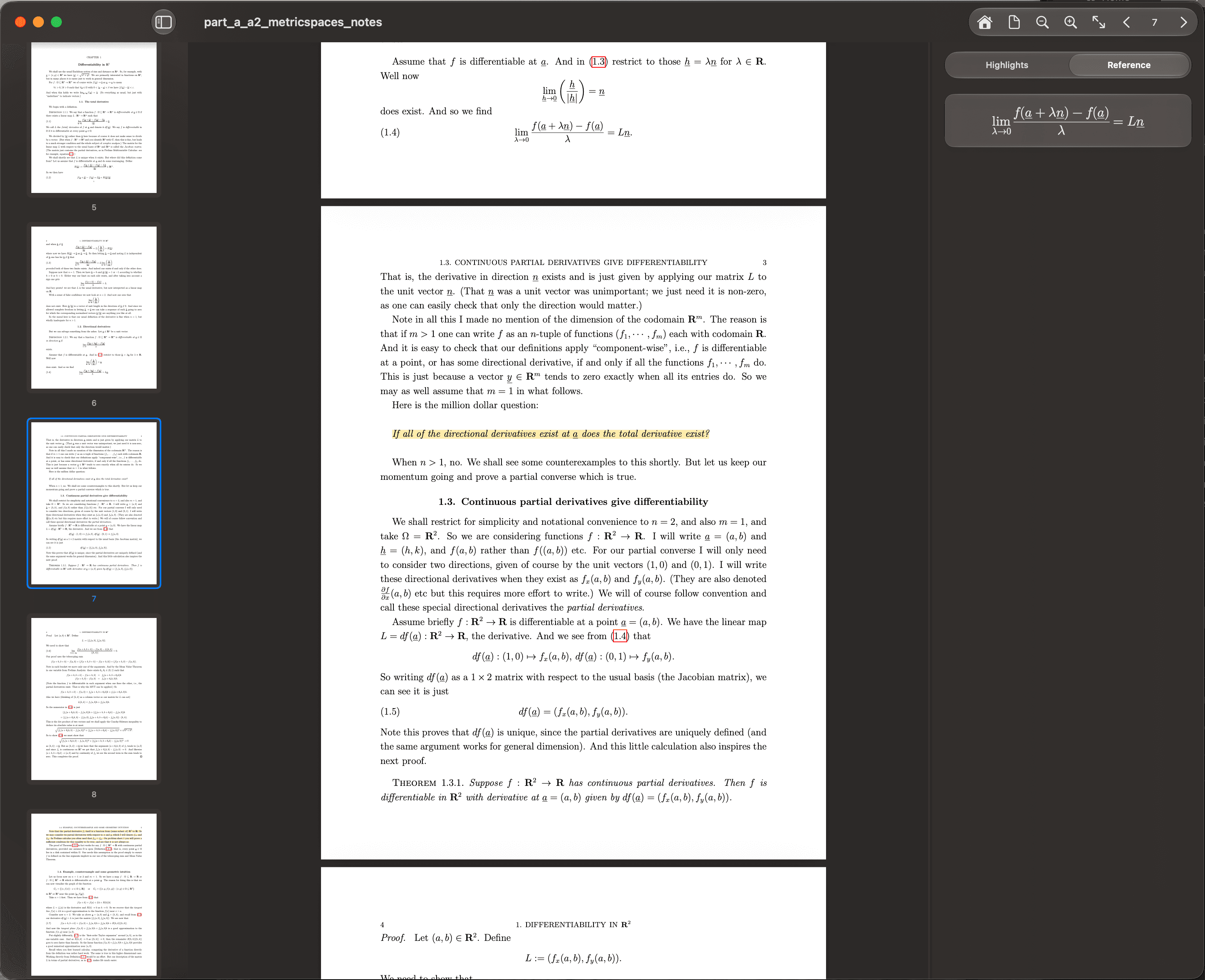
A reading environment for deep work.
Designed for papers, problem sets, and textbooks.
Highlight & Chat
Ask questions directly in context
Select a line of text or drag a box around a figure. Cauchy saves the highlight and opens a thread pinned to that spot, and sends the assistant the passage, the text around it, and the page it came from. Threads are saved with the document and get a title of their own once the first answer lands.
Reference Previews
Never lose your place again
When an author cites “Theorem 2.1” forty pages later, hover it. Cauchy indexes the theorems, lemmas, propositions, corollaries, definitions, examples and numbered equations in the document — on-device with Apple Intelligence, or with your Gemini key as a fallback — then caches the result so the statement appears in place.
Native LaTeX rendering
Answers are typeset by SwiftMath, a native math renderer — no webview, no MathJax, no layout jump while a proof streams in.
On-device OCR for equations
Drag a box over an equation the PDF stores as unselectable artwork. Apple's Vision framework recognizes the text on your Mac, and Cauchy turns the result back into LaTeX before the question goes out.
Retrieval across the whole document
An ask does not stop at the highlight. Cauchy pulls the exact statements a question cites and the passages that match it, combining BM25 keyword search with on-device sentence embeddings, so page 12 can answer a question you asked on page 200.
A workspace, not a viewer
Continuous, single-page and two-up layouts, a sidebar that switches between thumbnails, table of contents and contact sheet, in-document find (⌘F), and a dashboard of recent documents. Scroll position, highlights and threads are restored per document.
Bring your own intelligence.
Five places an answer can come from. Cauchy sells no tokens and resells no plan — it uses the model you already pay for, or none at all. See the setup guide.
Apple Intelligence
The system model, running entirely on your Mac through the Foundation Models framework. No key, no network, nothing to sign into. It is also what builds the reference index by default.
Claude Code
Your Anthropic subscription, through the claude CLI you already signed into. Pick Fable, Opus, Sonnet or Haiku per thread. Cauchy spawns the binary and never handles a credential.
Codex
Your ChatGPT plan, through OpenAI's Codex CLI. Install it with brew install codex, run codex login once, and choose GPT-6 Astra, Sol or Luna in the picker.
Antigravity
Your Google sign-in, through the agy CLI. It takes no model flag, so the model stays whatever you set with /model inside agy.
Gemini API
Direct API access with your own key from Google AI Studio. The key is stored in your macOS Keychain and billed to your account; Pro, Flash and Flash-Lite tiers are selectable.
Frequently Asked Questions
What is Cauchy?
A native macOS app for reading PDFs: highlight a passage, ask about it, and get an answer that renders real mathematics. Built for dense technical textbooks, papers and problem sets.
Where is my data stored?
On your machine only. Highlights, threads, viewport and thumbnails live in ~/Library/Application Support/Cauchy/workspaces/, and reference indexes in …/Cauchy/reference-index/.
Does it upload my PDFs?
No. The file itself never leaves your Mac. With a cloud provider, what goes out is your question plus the passages retrieved for it; with Apple Intelligence, nothing leaves at all.
Why unsandboxed?
The Claude Code, Codex and Antigravity connectors spawn CLIs installed in your shell, which the App Sandbox forbids. That is also why Cauchy is not on the Mac App Store.
Read math papers faster.
Understand proofs better.
Download CauchyLatest release notes on GitHub.